Key takeaways
- What you should pay for voice AI depends on your current call handling costs and volume. The right platform costs less than what you spend on human agents handling routine calls.
- Voice AI pricing depends on three factors: pricing structure, feature depth, and call volume, with each variable affecting your total monthly cost.
- Subscription pricing works for predictable volume, usage-based fits unpredictable patterns, and hybrid models balance fixed costs with flexibility.
- Watch for pricing red flags like platforms hiding pricing behind sales calls, bring-your-own-key models with hidden provider costs, and compliance features sold as upgrades.
- Platform selection starts with defining automation needs, testing real scenarios, verifying included features, and calculating deployment time impact on total cost.
- Hidden costs include separate charges for speech recognition, telephony, standard integrations, and features that should be bundled by default.
Voice AI is one of the most significant ways AI gets incorporated into organizations. It automates phone calls that used to require human agents, handling everything from appointment booking to payment processing. Gartner projects conversational AI will reduce contact center labor costs by $80 billion in 2026.
But in an industry dependent on unpredictable factors like call volume, feature requirements, and integration complexity, pricing becomes a challenge. Most platforms structure costs differently, making it difficult to compare options or predict your actual monthly bill.
Understanding pricing models, spotting hidden fees, and calculating the total cost of ownership separates platforms that deliver ROI from ones that eat budget without results.
The cost of specific features in Voice AI
Voice AI pricing extends beyond the base per-minute rate. Each feature carries separate costs across platforms.
Hidden costs compound fast. Most platforms advertise low per-minute rates but exclude LLM, phone infrastructure, and compliance, pushing true cost higher. Phonely's transparent bundled pricing prevents bill shock at deployment.
Find out more about Phonely’s pricing now.
The best Voice AI LLM for the best price
Your voice AI agent uses an LLM to understand caller questions and generate responses. In a call center handling appointment bookings, FAQ inquiries, and payment processing, you don't need OpenAI's most powerful models - you need one that handles routine interactions accurately and cheaply.
OpenAI's GPT-4 and GPT-4o are the industry standard. Many platforms offer GPT-4o as an option because it handles complex conversations and has acceptable latency for live calls. But you pay more per call when using it.
Smaller open-source models like Llama 3 and Mistral cost a fraction of GPT-4o and respond faster, but demand more technical expertise to implement. Some platforms bundle these as cheaper alternatives for FAQ handling, appointment scheduling, and payment processing.
Proprietary fine-tuned models are what platforms develop themselves. They train custom models specifically for call center tasks, optimizing for speed and accuracy on routine calls without GPT-4o's cost or the complexity of managing open-source alternatives.
Voice AI platforms handle the infrastructure: phone system integration, speech recognition, voice synthesis, and call routing. The LLM is the intelligence layer that sits inside the platform. Different platforms bundle different LLMs into their service, and some let you choose which one powers your agent.
The real question isn't which model is best - it's which one you actually need. If 80% of your calls are routine, a cheaper model handles that volume. Reserve GPT-4o for the 20% that genuinely need its reasoning capability.
Most platforms bundle their LLM costs into one transparent per-minute rate. The best platforms let you choose your model or bring your own.
What affects voice AI agent pricing
Three variables drive what you pay: how the platform charges you, what features you need, and how much you use it.
Pricing structure is split into three models:
Feature depth changes the cost. Basic FAQ agents cost less than agents that book appointments, process payments, update your CRM, and handle complex conversations. Advanced workflow automation adds functionality but increases cost. Premium voices, multilingual support, voice cloning, and advanced integrations push the price up.
Volume matters. Most platforms offer tiered pricing where your per-unit cost drops as usage increases. Running 1,000 calls a month costs more per call than running 10,000.
Hidden costs show up after you deploy:
- Phone system fees for inbound and outbound calls
- Speech recognition and text-to-speech processing
- LLM inference costs
- Setup fees for custom integrations
- Support tiers for guaranteed response times
Voice AI agent pricing models explained
The three pricing models work differently in practice. Each one changes how you budget and what you optimize for:
Subscription pricing
You pay a monthly fee with included minutes or calls. Use it all or not, you pay the same. Go over the limit, and overages kick in at a higher rate.
Works when the call volume is predictable. You get budget certainty but pay for unused capacity during slow periods.
Usage-based pricing
You pay only for what you use. Per-minute or per-call charges that scale with volume.
Fits businesses with unpredictable or seasonal volume. No idle capacity costs, but a call spike means a bill spike.
Hybrid models
Base subscription includes core features and set usage. Extra calls trigger per-unit charges.
Balances predictability with flexibility. Your base cost stays fixed with room to scale. The risk is mismatched usage patterns that leave you overpaying or constantly hitting overages.
What this means for your business
Subscription pricing pushes you to maximize usage to justify the fixed cost. Usage-based pricing makes you think twice about every call. Hybrid lets you test and scale without committing to a tier that might not fit in three months.
How to calculate what you should pay
Start with your call volume. Count how many calls you handle per month and how long they run on average. If you handle 2,000 calls at 3 minutes each, that's 6,000 minutes per month.
Calculate addressable costs
Current cost per call × Monthly call volume × % routine calls = Addressable costs
Example: Your human agents cost $5 per call. You handle 3,000 calls monthly. 70% are routine (FAQs, scheduling, status checks).
$5 × 3,000 × 0.70 = $10,500 in addressable costs per month
Any voice AI solution costing less than $10,500/month pays for itself by automating those routine calls.
Run your numbers against pricing models
Take your 6,000 minutes per month and test each model:
Subscription: Plan with 5,000 included minutes at $300/month. You'd hit overages on 1,000 minutes at $0.20/minute = $500 total.
Usage-based: At $0.10/minute, 6,000 minutes = $600/month.
Hybrid: $200 base with 3,000 included minutes, then $0.15/minute after = $650/month.
Factor in required features
Basic FAQ handling costs less than appointment booking, payment processing, and CRM integrations. Add what you need:
- Multilingual support
- Custom voice cloning
- HIPAA or PCI compliance
- Live agent escalation
- Advanced analytics
A platform bundling everything at a higher base price can cost less than a cheap platform where every feature is an add-on.
Why voice AI agents are worth the investment
Missed calls cost businesses money they never see. Human agents require more than just a salary. You pay for:
- Training and onboarding
- Benefits and payroll taxes
- Equipment and workspace
- Management overhead
- Replacement costs from turnover
These costs compound when you factor in turnover rates that force you to repeat the cycle every year or two.
Voice AI runs 24/7 without overtime, sick days, or staffing gaps. It answers every call instantly. The cost drops to cents per minute instead of dollars per hour.
The return shows up in three areas:
- Capture missed revenue from calls that previously went unanswered
- Zero hold times because the AI picks up immediately
- Free human agents to handle interactions that need judgment and empathy, not routine questions
For contact centers, the value compounds. Every automated call is one your human team doesn't handle, which means your agents spend time on the work that actually needs them. Studies report gains of 14% to 15% in customer support when using AI assistance. Gartner predicts 70% of customers will use a conversational AI interface to begin their customer journey by 2028.
Red flags in voice AI agent pricing
Some pricing structures hide costs that only show up after you deploy. Watch for these warning signs before you commit.
No public pricing
If you can't see pricing without talking to sales, expect enterprise contracts and long commitments. For everyone else, it means weeks of back-and-forth before you know if the platform even fits your budget.
Bring your own key models
Platforms advertising low per-minute rates but requiring you to supply your own API keys for speech recognition, text-to-speech, and language models aren't giving you the full price. The total cost can run three to five times the advertised rate. Platforms with developer APIs offer more customization options.
Unlimited plans with hidden caps
No platform can profitably offer truly unlimited voice AI. If a plan claims unlimited calling, read the fair use policy. You'll find throttling limits or overage charges buried in the terms.
Per-call pricing without duration limits
Flat-rate per-call billing sounds simple until you realize a 30-second voicemail costs the same as a 15-minute consultation. This hides call length risk and makes budgeting impossible.
Separate charges for basic features
Transcripts, call recordings, CRM sync, and analytics should be included. Platforms charging separately for these table-stakes features are inflating your effective cost without showing it on the pricing page.
Setup fees for standard integrations
Connecting to common CRMs or your phone system should not require custom development fees. If a platform charges thousands for integrations that competitors bundle, that's a red flag.
Compliance as an add-on
HIPAA, PCI DSS, and SOC 2 compliance should be built in, not sold as upgrades. You shouldn't pay extra for security features that should exist by default.
Contract-only pricing with auto-renewal
Month-to-month billing lets you test and scale without commitment. Annual contracts with auto-renewal lock you in before you know if the platform works. Price increases of 20% to 30% at renewal are common when you have no leverage.
Choosing the right voice AI agent for your budget
The platform that looks cheapest on the pricing page isn't always the one that costs less in practice. The right choice depends on matching the pricing model to your actual usage, understanding what's included versus what costs extra, and factoring in how long it takes to get live.
Here's how to evaluate options without getting burned by hidden costs or overpaying for features you don't need.
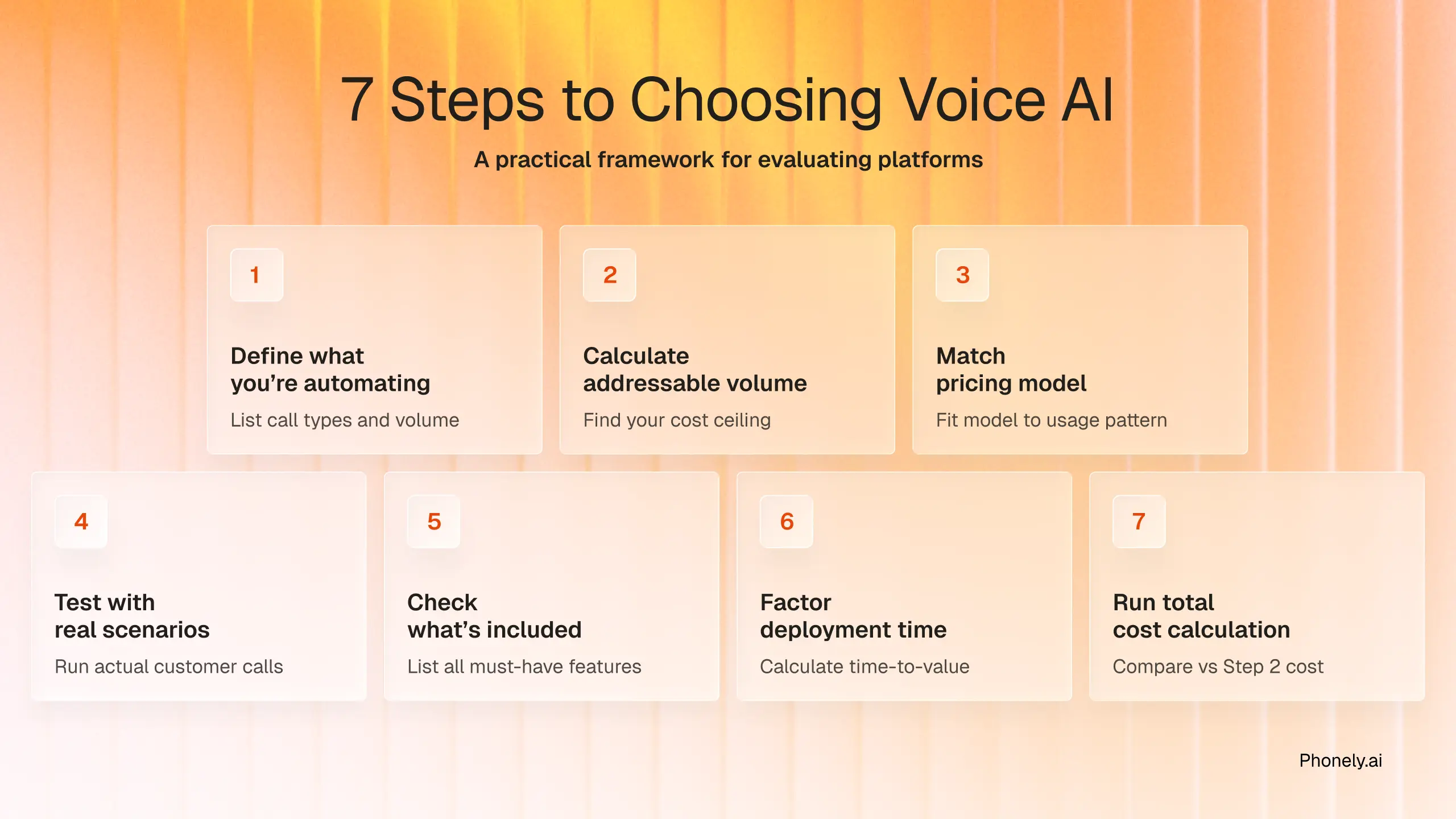
Step 1: Define what you're automating
List the specific calls you need handled. FAQs, appointment booking, payment processing, and lead qualification. Count how many of each type you handle per month.
Step 2: Calculate your addressable volume
Use the formula from earlier: Current cost per call × Monthly call volume × % routine calls = Addressable costs
This number is your ceiling. Any platform costing less pays for itself.
Step 3: Match the pricing model to your usage
Steady volume → Subscription pricing gives budget certainty
Seasonal or growing → Usage-based means no wasted capacity
Mix of both → Hybrid model balances predictability with flexibility
Step 4: Test with real scenarios
Most platforms offer free trials. Run actual customer calls through the system, not demos. Test with:
- Your real customer questions
- Background noise and accents
- Your phone system integration
- Peak call volume conditions
Step 5: Check what's included
Make a list of must-haves:
- Phone system integration
- Speech recognition and voices
- Call recording and transcripts
- Your CRM connections
- HIPAA or PCI compliance
A platform at $0.15/minute with everything bundled can cost less than $0.08/minute with add-ons.
Step 6: Factor in deployment time
A cheap platform taking three months to deploy costs more than a pricier one you launch in a week. Calculate what those extra weeks of missed automation cost in lost revenue or continued human agent expenses.
Step 7: Run the total cost calculation
Platform fee + usage charges + integration costs + deployment time = Total cost of ownership
Phonely makes pricing simple and transparent
Voice AI pricing doesn't have to be complicated. Phonely uses straightforward usage-based pricing that scales with your call volume. No hidden fees, no surprise charges for basic features.
Most teams are up and running within five minutes, not weeks. The platform handles everything from phone system integration to compliance, so you're not juggling multiple vendors or piecing together a stack.
Book a free demo and get started today..